
Minichat – The Fast Video Chat
CrescentAxis Inc.Social
4.0811.00 Reviews
- Version
- 104246
- Installs
- 10.00M
- Age Rating
- Mature 17+
Screenshots

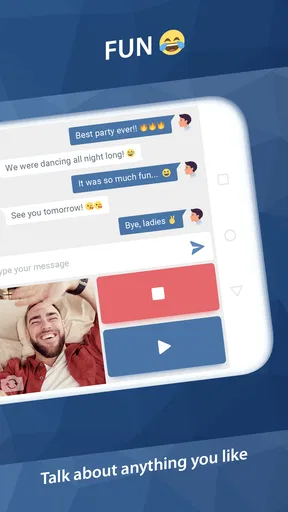


Our Review of Minichat – The Fast Video Chat
 Analysis by Appyee
Minichat – The Fast Video Chat is the kind of social app I would open when I want a conversation to begin quickly rather than spend time building a profile or managing a large online community. Its focus is direct video communication with people I do not already know, which makes the experience more immediate than a traditional social network. I found that immediacy appealing, but it also means the app asks me to make decisions about privacy, comfort, and attention faster than I would on a slower platform.
Developed by CrescentAxis Inc., Minichat is available as a free social app, with optional in-app purchases priced at $11.99 per item. It carries a Mature 17+ age rating, so I would not treat it as a casual service for younger teenagers. The app has reached more than ten million installs and holds a 4.0 average from roughly forty-seven thousand ratings, which suggests a broad audience but also a mixed range of experiences. I see it as a tool for spontaneous conversations, not as a replacement for a carefully moderated messaging service.
How clearly the app supports different ways of using it
I find that the clearest way to judge Minichat is to separate the appeal of a quick first conversation from the question of whether I would make room for it as a regular habit. In this section, I look at how its live-video format serves different needs and where a slower, more deliberate social option may fit better. That distinction matters most once the novelty of meeting someone new has worn off.
Readability and navigation during a quick session
The main challenge with a fast video-chat app is that the interface has to communicate its purpose almost immediately. In my experience, Minichat is easiest to understand when I approach it with one simple goal: start a conversation, decide whether it is worth continuing, and move on when it is not. That focused flow is more comfortable than trying to use it as a full social feed, because the app’s value comes from the live interaction rather than from browsing a large amount of written content.
That simplicity can help people who find crowded social platforms tiring. There are fewer layers of posting, commenting, and profile maintenance to think about. I can concentrate on the current interaction instead of scanning several competing sections. For users who rely on clear visual grouping, this kind of narrow purpose may make the app feel less mentally demanding than a general-purpose social network.
At the same time, quick navigation creates its own pressure. A person who reads more slowly, needs extra time to process a new face, or prefers to inspect context before responding may feel rushed by the nature of the service. I would recommend using it in a calm setting rather than opening it while walking, commuting, or handling another task. The app is built around immediacy, and immediacy is not the same thing as accessibility for every user.
I also think the Mature 17+ classification matters to navigation decisions. A younger user should not simply install it because the download itself is free. Parents and guardians should discuss the risks of live contact with strangers before allowing access, while adults should still treat the first conversation as an unknown interaction rather than an automatically trustworthy one.
Visual attention and the demands of live video
Video chat is more information-heavy than text. I have to follow a face, listen to speech, notice changes in tone, and decide whether I want to continue, often within the same moment. That can be engaging for someone who communicates naturally through facial expression, but tiring for anyone who finds eye contact, rapid social cues, or moving images difficult to process.
People with low vision may find a live video interface harder to use than a text-first service, especially when important controls compete visually with the conversation. People who are sensitive to motion, bright screens, or unpredictable visual changes may also prefer shorter sessions. I found that reducing distractions around me makes a real difference: a stable seat, a quiet background, and a screen positioned at a comfortable distance make the interaction easier to follow.
For users who are deaf or hard of hearing, a video connection can be useful when visual communication is comfortable, but the experience depends heavily on whether the other person communicates clearly and whether the conversation can continue without reliable audio. I would not assume that video automatically solves communication barriers. A text-based alternative remains the better choice when captions, written replies, or deliberate turn-taking are essential.
Motor control, speech, and personal pacing
Live conversation can be convenient for someone who finds typing difficult, because speaking may require less physical effort than composing messages. It can also help a person explain something naturally instead of navigating several text fields. However, the same design can disadvantage users who need more time to tap controls, reposition a device, or respond verbally.
My practical advice is to keep the phone supported rather than holding it continuously. A stable setup reduces hand fatigue and makes it easier to end a conversation deliberately instead of tapping hurriedly. This is a small change, but it matters in an app where the user may need to react quickly to an unexpected interaction.
Speech differences deserve equal consideration. Someone with a stutter, a quiet voice, or difficulty speaking under pressure may be judged unfairly by strangers who are not patient. Minichat is therefore more suitable for users who are comfortable with spontaneous spoken interaction than for people who need communication to happen at a controlled pace. If I wanted to communicate carefully, explain a sensitive subject, or avoid being evaluated immediately on my voice, I would choose messaging instead.
Using Minichat in everyday situations
A realistic use case is an adult with a free half-hour after work who wants a brief social exchange without committing to a long conversation. I would sit somewhere private, use headphones if appropriate, and begin with a clear limit: I am available for a short chat, but I will leave if the interaction becomes uncomfortable. That approach keeps the app recreational instead of allowing an unexpected conversation to take over the evening.
Another use case is someone who wants to practice conversational confidence in low-stakes encounters. The quick format can provide repeated opportunities to greet someone, ask a simple question, and end politely. Still, I would not present this as therapy or a guaranteed confidence-building method. A stranger’s reaction is unpredictable, and a negative exchange may be discouraging for someone who is already anxious.
The app is less appropriate in public places. Even if the user is comfortable speaking with strangers, nearby people may overhear private comments or appear in the camera view. I would avoid using it in a workplace, on public transport, or anywhere a conversation could expose another person without consent. A private room is not just more comfortable; it gives me better control over what the camera and microphone may reveal.
Privacy habits are part of accessibility
For me, inclusive use begins with control. Before starting a session, I would check what is visible behind me, remove documents or identifying objects from view, and avoid sharing a full name, home address, workplace details, or daily routine. This is especially important for people who may be targeted because of age, disability, gender expression, or another personal characteristic.
I would also decide in advance what behavior ends a conversation. Pressure to move to another service, requests for personal images, repeated questions after I have declined, or comments about my body are all reasonable reasons to leave. A fast video app can make users feel that they should be polite until the other person agrees to end the exchange. I think the safer rule is the opposite: discomfort is enough justification to stop.
People who need support from a trusted friend can prepare that support before using the app. A friend might help adjust the device, remain nearby, or agree on a simple check-in. That does not remove the app’s social risks, but it makes the experience more manageable for someone who has difficulty reacting quickly during an uncomfortable encounter.
Where the experience remains difficult
The biggest barrier is not a complicated menu; it is the unpredictability of live contact. A user cannot control another person’s volume, manners, background, conversation speed, or willingness to communicate respectfully. That affects everyone, but it can be especially difficult for people who need predictable sensory or social conditions.
I also would not choose Minichat for structured communities. If I wanted topic-based discussion, long-term friendships built around shared interests, or a searchable record of conversations, a conventional social network or messaging group would serve me better. Text-first platforms are also preferable when I need translation time, written clarity, or a conversation that can be revisited later.
The free entry point is helpful, but the optional purchases deserve restraint. I would use the basic experience first and only consider spending money after understanding exactly what the paid item changes for my own routine. A purchase should not be treated as a solution to discomfort, safety concerns, communication barriers, or unwanted contact. Those are usage and boundary issues, not problems that a payment automatically fixes.
Device compatibility is reasonably broad for an older Android phone, since the app supports Android 6.0 and later. That makes it more approachable for people who do not own a recent handset, although a supported operating system does not guarantee an equally comfortable experience on every screen size or camera. I would test the app at home before relying on it while traveling or during an important social activity.
Who will appreciate it, and who should skip it
I think Minichat suits adults who enjoy spontaneous video conversations, can make quick decisions about boundaries, and do not need a highly structured community. It may also appeal to someone who prefers speaking over typing and wants a short social encounter rather than an ongoing message thread. The large install base indicates that the format has reached many users, but popularity should not be confused with personal suitability.
I would suggest skipping it if unexpected video contact causes significant anxiety, if privacy must be tightly controlled, or if communication depends on captions, careful written replies, or long pauses. It is also a poor choice for anyone looking for professional networking, serious dating guidance, moderated peer support, or a dependable way to contact known friends. Those goals call for services designed around identity, continuity, or stronger structure.
One useful compromise is to treat Minichat as an occasional experiment rather than a daily habit. Set a time limit, use it only in a private environment, and stop after a few interactions if the experience becomes draining. This approach lets me benefit from the app’s quick social format without allowing its pace and unpredictability to dictate my whole routine.
My inclusive verdict after using the app
Minichat – The Fast Video Chat is appealing because it removes much of the preparation normally associated with meeting people online. I can enter a live social setting quickly, and that directness may feel refreshing compared with feeds that demand constant posting or messaging. CrescentAxis Inc. has positioned the app clearly as a social video-chat experience, and its 4.0 average shows that many users find value in that format.
My recommendation comes with firm conditions. The app works best for adults who are comfortable with live video, can protect their personal information, and are prepared to leave conversations without apologizing. It is less convincing for users who need predictable pacing, written communication, strong moderation, or detailed control over who can contact them.
The most inclusive way to use Minichat is to control the setting, the time, and the boundaries before the first conversation begins. If those conditions fit your needs, the free app can provide a quick way to meet someone new. If they do not, choosing a text-first or more structured alternative is not missing out; it is choosing a format that respects how you communicate best.
Verdict
Strengths of Minichat – The Fast Video Chat
- Quick video matching makes it easy to meet new people.
- Simple interface is easy to navigate for first-time users.
- Useful filters help narrow matches by interests or preferences.
- Short conversations keep interactions casual and low commitment.
- Available on mobile for chatting wherever you have an internet connection.
Limitations of Minichat – The Fast Video Chat
- User quality can vary, so some conversations may feel uninteresting.
- Video chat may consume significant mobile data and battery power.
- Some features or filters may require in-app purchases.
- Privacy can be a concern when sharing video with strangers.
- Busy periods may lead to longer waits or repeated matches.
Similar Picks in This Category
View All
Meta Platforms, Inc.4.6

Instagram4.0

Likee-Live, Chat & Party Games
Likeme Pte. Ltd.4.4

Facebook Lite
Meta Platforms, Inc.4.5

TikTok - Videos, Shop & LIVE
TikTok Pte. Ltd.4.0

Moj: Free Short Drama & Reels
ShareChat4.1
Frequently Asked Questions
What is Minichat – The Fast Video Chat used for?
Minichat is a social video-chat application designed for meeting and talking with people through live video calls. After creating a profile, users can browse available contacts, start conversations, and use text or video communication features. It is mainly intended for casual social interaction and meeting new people, rather than for professional conferencing or private messaging with existing contacts only.
Is Minichat free to download and use?
Minichat can generally be downloaded without an upfront charge, but some features or interactions may depend on in-app purchases, credits, subscriptions, or other limits set by the service. The exact pricing and available options can vary by platform and region. Before confirming a purchase, users should review the payment screen carefully and check whether recurring billing is involved.
Does Minichat require a camera and microphone?
The application can be used for video conversations, so access to the device camera and microphone is normally required when starting or receiving a video chat. Users may be able to browse profiles or send text messages without enabling both permissions immediately. You can manage these permissions in Android or iOS settings, although disabling them will prevent video and voice features from working properly.
Is Minichat safe for meeting strangers online?
Minichat includes the usual risks associated with meeting unknown people through live video and social platforms. Users should avoid sharing their address, financial information, passwords, private documents, or intimate content. Use blocking and reporting tools whenever someone behaves suspiciously or offensively, and remember that profile details may not always be accurate. Younger users should follow the applicable age requirements and use appropriate supervision.
What should I check before downloading Minichat?
Before installing Minichat, check its current age rating, supported Android or iOS version, privacy policy, and the permissions requested by the app. It is also worth reviewing recent store feedback, because performance, moderation, and available features can change with updates. Confirm that your internet connection is reliable for video calls and examine the subscription or purchase terms to avoid unexpected charges.
